.webp)
How the Agent Model Works
At its core, this is a Mostbet payment route with a middle layer: an intermediary helps move funds between the player and the platform, then takes a commission once the transaction clears. Only trust what your account shows: fees, limits, currency, processing time, and status labels in history.
Players usually turn to this route when a preferred method is unavailable, an amount hits a cap, or a transfer stays on Pending longer than expected and they need an alternative wallet flow. On the official program page, the sample math uses 1% on deposits and 0.5% on withdrawals, with examples like 1,000 BDT - 10 BDT and 500 BDT - 2.5 BDT. Your real numbers can differ by account and channel, so confirm the live fee and limits first, especially if the option is shown under labels like Mostbet deposit agent.

Payment Method Fit
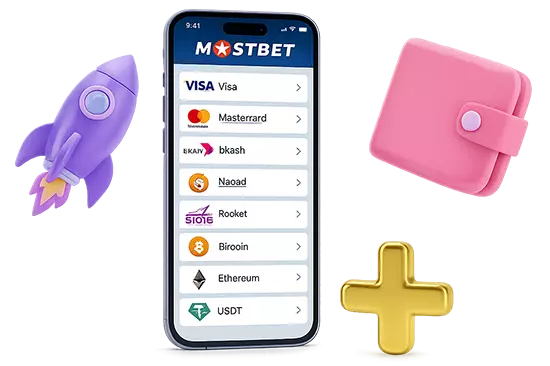
In Cashier, compare currency support, min and max limits, fees, and the stated processing time. Common options include bKash, Nagad, Rocket, Upay, Visa, Mastercard, Jeton, AstroPay, Binance Pay, Bybit Pay, and USDT. Pick the route that stays fully inside the app and creates a single record with one transaction ID in Transactions or History. If the flow shifts to chat, asks for an OTP, or requests an off platform transfer, stop and use in app support.
Roles You May See
These labels often sound similar, so the wording alone does not prove a contact is genuine. Each role name describes a specific step and its conditions, but legitimacy is confirmed only through your profile and in app support. It also specifies which status labels should appear in your transaction history for that action.
Verify those details in your profile before you confirm anything.
| Term | What it usually means | What to verify in your account | Main risk |
|---|---|---|---|
| Master role | Coordinates routes and escalations | Fee model and supported channel | Impersonation and off platform transfers |
| Wallet role | Works through a specific wallet flow | Currency, limits, and timing | Wrong route and weak receipt trail |
| E wallet role | Focuses on e wallet transactions | Status labels and processing window | Delayed credit and pressure to retry |
| Deposit role | Handles funding and basic confirmation | Min and max plus status outcome | Duplicate funding and social engineering |
Mostbet Agent Registration Plus
Start on the program page of the official site, then finish setup in the dedicated app. Use the site menu or Help or Guidebook search and open the section named Agent, then start registration only from that page. Consider registration done only when the dashboard opens and Cashier is available:
- Open the official site Mostbet and locate the program section;
- Choose the registration option shown on the page;
- Complete the contact and profile steps exactly as requested;
- Install the app only from the download button on that page;
- Create the account and open Cashier;
- Confirm fees, limits, and currency before entering payout details;
- Save the confirmation or ticket number.

A proper setup leaves clear records you can verify inside the account.
Safety Checks
Use account screens as your source of truth. Check fees and limits in Cashier, then verify timestamps and the status label in Transactions or History. Confirm the support channel inside the app before sharing any details. Keep one support pack ready: transaction ID, time, method, and a screenshot of the status line. For Mostbet agent, if any detail conflicts, stop and contact in app support.
Status Labels - What to Do
A status label is useful only when it matches your own record in Transactions or History. For Mostbet agent, read it together with the timestamp and transaction ID, then follow the action below.
| Status label | What it usually means | What to do next |
|---|---|---|
| Pending | The request is created, but it is not confirmed yet | Do not retry. Wait for the stated window, then recheck the same record. |
| Processing | The transfer is actively being handled | Do not switch methods or create a second request. Track time and keep the same ID. |
| Completed or Success | The transfer is posted and final | Save the record. Act only if the credited amount does not match the record. |
| Failed or Canceled | The flow stopped before completion | Open details and read the reason line. Retry only after that reason is fixed. |
| Reversed or Refunded | The transfer was rolled back | Check where the funds returned and when. Contact support only if the return path does not match the record. |
First Transfer Checklist for Mostbet Agent
Do this once before your first transfer. It prevents setup problems that look like payment issues later:
- Use the dedicated Mostbet app installed from the official program page, not a forwarded APK;
- Confirm the dashboard opens and the cashier profile loads without errors;
- Make sure your phone or email is reachable right now for confirmations;
- Check your verification state in profile, since limits can change when it is pending;
- Refresh the session if the app was idle, then sign in again once;
- Enable notifications so you do not miss a confirmation step or a status change.

Once the setup is clean, the transaction record becomes your anchor. If the setup is not clean, fix it first, or you will waste time chasing the wrong problem. Open Cashier, note fee and limits for the selected route, then run one small test transfer for Mostbet agent and keep the transaction ID and status screenshot for your records.